GuardDuty Malware Scanning for S3: What It Does and the Recovery Gap It Leaves
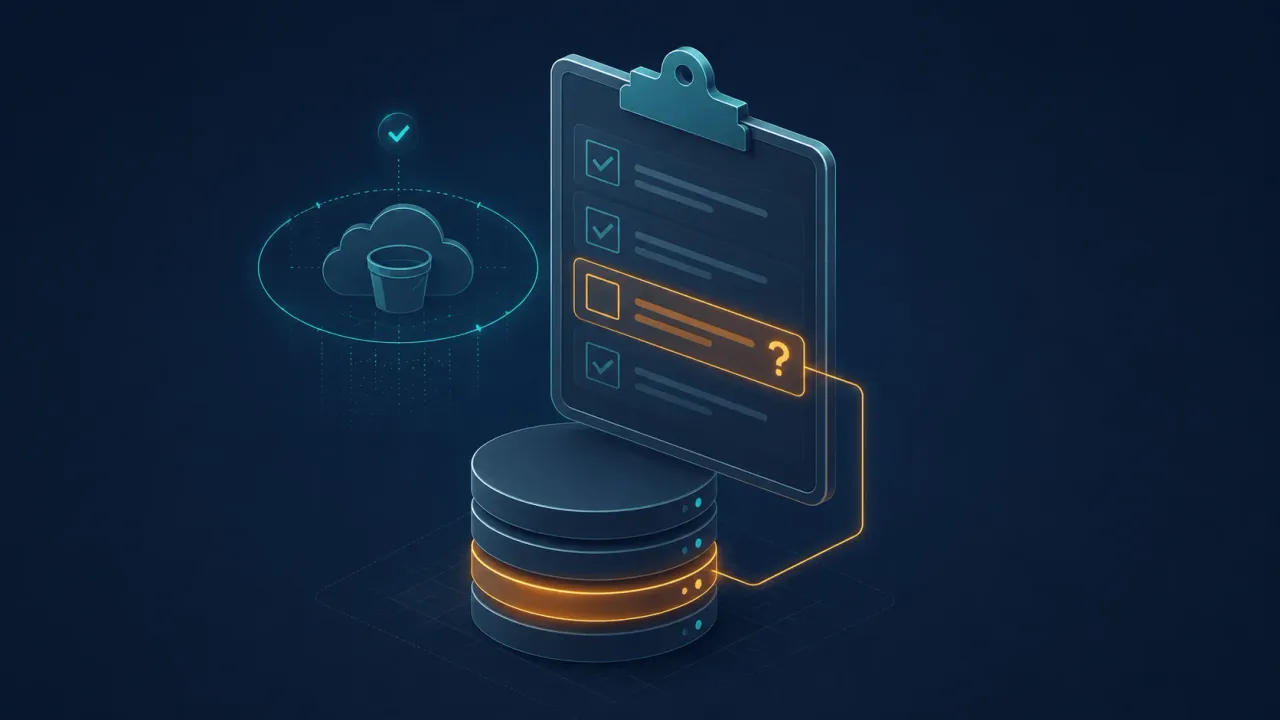
GuardDuty Malware Protection for S3 scans new S3 uploads and new versions, publishing a result through EventBridge, CloudWatch, and optional S3 object tags. On-demand scans extend coverage to existing objects after enablement. That is upload protection. Recovery teams still need a verdict on the specific object version they plan to restore.
GuardDuty Malware Protection for S3 scans uploads. Recovery teams still need a verdict tied to the specific version they plan to restore.
Short answer: what GuardDuty S3 malware scanning does
Amazon describes GuardDuty Malware Protection for S3 as a protection plan that scans newly uploaded objects and new versions of existing objects in selected S3 buckets. You can run it as part of GuardDuty or as an independent feature without enabling the full GuardDuty service.
After the feature is enabled, GuardDuty listens for S3 object-created events, downloads the object through AWS PrivateLink, decrypts and scans it in an isolated same-Region environment, then deletes the downloaded copy after scan metadata is processed. AWS lists the triggering event types as PutObject, POST Object, CopyObject, and CompleteMultipartUpload in its how it works documentation.
The scan engine is file-based, not live behavioral detonation. AWS says the GuardDuty malware detection scan engine uses IoCs, YARA-based detections, heuristic and ML models, signatures, and known-bad file hashes. The same page says the engine can detect malware types such as ransomware, cryptominers, and webshells, but does not perform live behavioral analysis of a sample executing in a real system.
How to enable malware scanning for S3 with GuardDuty
AWS supports setup through the GuardDuty console, API, CLI, CloudFormation, and infrastructure-as-code tools. In the console flow, you choose the Region, select an S3 bucket in the same account and Region, choose whether to scan the whole bucket or up to five object prefixes, decide whether GuardDuty should tag scanned objects, and provide or create the IAM role GuardDuty uses to read and optionally tag objects. The AWS enablement guide also notes that API or CLI setup requires the IAM role policy before you create the Malware Protection plan.
The tagging decision matters. If you enable object tagging before new objects arrive, GuardDuty can add the GuardDutyMalwareScanStatus tag after a scan with values such as NO_THREATS_FOUND, THREATS_FOUND, UNSUPPORTED, ACCESS_DENIED, or FAILED. AWS recommends enabling tagging during setup because tags added after a scan begins will not be applied retroactively to objects already scanned.
GuardDuty does not turn the upload path into a blocking gate by itself. AWS documents tag-based access control as a separate S3 bucket policy pattern, such as denying GetObject and GetObjectVersion unless the object has a GuardDutyMalwareScanStatus value of NO_THREATS_FOUND.
Quotas and unsupported S3 cases that matter
A protected bucket is only the starting point. The recovery question depends on whether the specific object or version falls inside GuardDuty’s supported S3 surface and quota envelope.
| Limit | Default | Recovery implication |
|---|---|---|
| Maximum S3 object size scanned | 100 GB | Larger objects are not scanned unless AWS Support grants an exception for the use case. |
| Extracted archive bytes | 100 GB | Archives expanding beyond this limit are skipped. |
| Extracted files per archive | 10,000 | Archives with more files are skipped. |
| Maximum archive depth | 5 levels | Files nested beyond the limit are skipped. |
| Protected buckets per account per Region | 25 | Large estates need explicit bucket selection. |
| Object prefixes per protected bucket | 5 | Prefix-level scoping can leave other parts of the bucket outside automatic scanning. |
AWS lists the object, archive, and protected-bucket limits in Quotas in Malware Protection for S3. The five-prefix limit appears in the how it works and enablement documentation.
Several S3 configurations also change the answer. The AWS supportability matrix says Malware Protection for S3 does not support S3 Express One Zone directory buckets, S3 on Outposts, SSE-C encrypted objects, or client-side encrypted objects. Glacier Flexible Retrieval and Glacier Deep Archive objects must be restored before they can be scanned. The main GuardDuty S3 page also says the protected bucket must be in the same Region where you enable the protection plan.
Why an upload scan isn’t a recovery verdict
GuardDuty Malware Protection for S3 only scans writes after you enable it. Objects already in the bucket do not get a verdict through continuous monitoring until you submit an on-demand scan, and the API call only confirms the request was accepted. The result lands later through EventBridge and, if tagging is enabled, the object tag. You still have to monitor for completion and errors.
That matters when a recovery decision lands on a specific artifact. Picture a versioned application bucket where GuardDuty was enabled six months ago and compromised credentials had access before that date. Recent versions carry GuardDutyMalwareScanStatus tags; older candidate versions do not. On-demand scans by version ID will produce verdicts, but only after each request runs to completion.
The verdict that matters is on the specific version, not the bucket and not a pending scan request.
Why “no malware found” doesn’t mean safe to restore
GuardDuty’s detection model hunts against known indicators of compromise. That makes it well-suited for identifying malware, but it is not designed to detect encryption. That distinction matters because modern ransomware campaigns frequently encrypt data without leaving a detectable payload behind. No dropper. No C2 beacon. No file with a known hash or YARA signature. The encryption itself is the only artifact of the attack in the data.
A GuardDuty malware hunt on a versioned S3 bucket will return NO_THREATS_FOUND on an object whose contents have been silently encrypted before upload. The scan is accurate: there is no malware present. But the object is still unrestorable. It may be encrypted, corrupted, or structurally invalid in ways that only appear when a workload tries to read it.
That is the recovery question GuardDuty is not designed to answer. Knowing an object carries no known malware is not the same as knowing it is safe to restore. Those are different verdicts, and during an incident, you need the latter. We cover how the two layers work together in Elastio × AWS GuardDuty: Automated scans triggered by GuardDuty malware findings.
Where this leaves an AWS recovery design
AWS’s cyber-resilience reference approach (May 2026) layers validation behind deletion-protected backup storage: AWS Backup Restore Testing, GuardDuty Malware Protection on restored volumes, AWS Marketplace partner solutions for content-level ransomware scanning inside backup contents, workload-specific integrity checks, and log review. GuardDuty Malware Protection for S3 covers the upload side. Content-level scanning of backup contents sits in the partner layer.
AWS names Elastio in related restore-testing and S3 vault guidance. The AWS Backup restore-testing reference architecture lists APN solutions such as Elastio for threat detection during restore testing. The Sheltered Harbor data-vault guidance lists Elastio for S3 ransomware and malware scanning. In practice, that means scanning EC2 and EBS recovery points via the elastio:action=scan tag, covering S3, EFS, and VMware through AWS Backup Restore Tests, and routing the per-artifact verdict to AWS Security Hub so responders can work from the AWS security workflow they already use during an incident.
Enable GuardDuty Malware Protection for S3 where uploads are the threat. Use restore testing and content-level scanning where the restore decision is the question.
Common questions about GuardDuty Malware Protection for S3
Does GuardDuty Malware Protection for S3 scan existing objects? Yes, through on-demand scans after the bucket has a Malware Protection plan. Continuous monitoring applies to new S3 uploads. On-demand scan requests still require result monitoring, and AWS pricing documentation says on-demand scanning is not included in the monthly free tier.
Does enabling it block malicious uploads? No. GuardDuty scans after upload and publishes a result. Blocking reads or version access requires a separate control, such as the AWS tag-based access-control pattern that denies access unless the scan tag is clean.
Does GuardDuty Malware Protection for S3 prove a bucket is safe to restore? No. It provides object-level malware scan results for covered uploads and submitted on-demand scans. A safe-restore decision requires a completed verdict on the exact object version, recovery point, snapshot, or restored data set the team plans to use. The GuardDuty and Elastio comparison maps the detection layers, where each one stops, and how recovery evidence changes the restore decision.
Sources
[1] AWS, GuardDuty Malware Protection for S3, Amazon GuardDuty User Guide.
[2] AWS, How does Malware Protection for S3 work?, Amazon GuardDuty User Guide.
[3] AWS, GuardDuty malware detection scan engine, Amazon GuardDuty User Guide.
[4] AWS, Enabling Malware Protection for S3 for your bucket, Amazon GuardDuty User Guide.
[5] AWS, Using tag-based access control with Malware Protection for S3, Amazon GuardDuty User Guide.
[6] AWS, Quotas in Malware Protection for S3, Amazon GuardDuty User Guide.
[7] AWS, Supportability of Amazon S3 features, Amazon GuardDuty User Guide.
[8] AWS, On-demand S3 malware scan in GuardDuty, Amazon GuardDuty User Guide.
[9] AWS, Pricing and usage cost for Malware Protection for S3, Amazon GuardDuty User Guide.
[10] Elastio, Elastio vs. AWS GuardDuty.
[11] Elastio Help Center, Protect AWS Backup Recovery Points.
[12] Elastio Help Center, Protect Recovery Points Via AWS Backup Restore Tests.
[13] Elastio, AWS Security Hub integration.
[14] AWS Architecture Blog, Cyber resilience on AWS: A reference approach for recovery from ransomware and destructive events.
[15] AWS Storage Blog, Validate recovery readiness with AWS Backup restore testing.
[16] AWS for Industries, Building a Sheltered Harbor compliant data vault on AWS.